
For law firms
The legal CRM you run by talking to it.
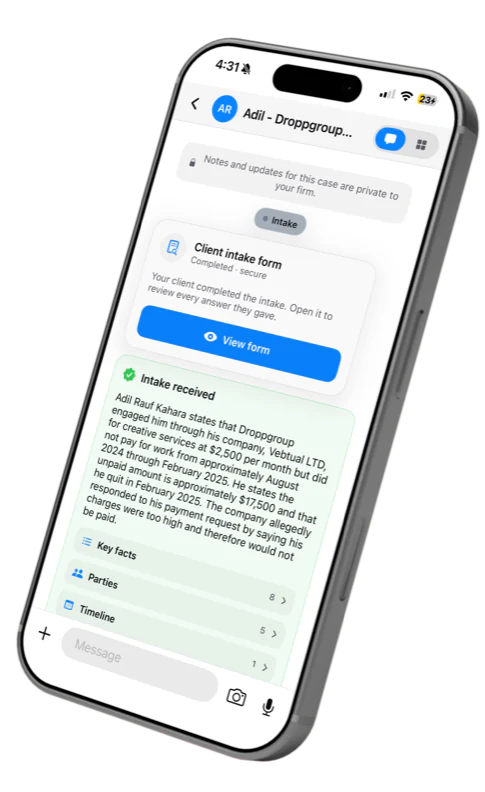
Text or speak to a matter like you’d message a colleague. The AI handles the rest: intake, documents, drafting, signatures and billing, all in the conversation. Private by design, native on iPhone and Mac.
Engagement letter signed
Legal software was built for a desk. A lawyer’s day doesn’t happen at one.
For over a decade, law firms came to us asking for a custom CRM while already paying for a well-known one. It was never the cost, and it was never privacy. It was that every task meant sitting down, opening a module and filling in a form.
Hundreds of features. A handful ever used. Every one of them waiting to be typed into.
A typical legacy CRM. Twenty-four tools in the ribbon, four in use.
You already know how to use it.
Jural replaces the modules and the forms with one conversation per matter. Say what you need, typed or spoken, and the work gets done.
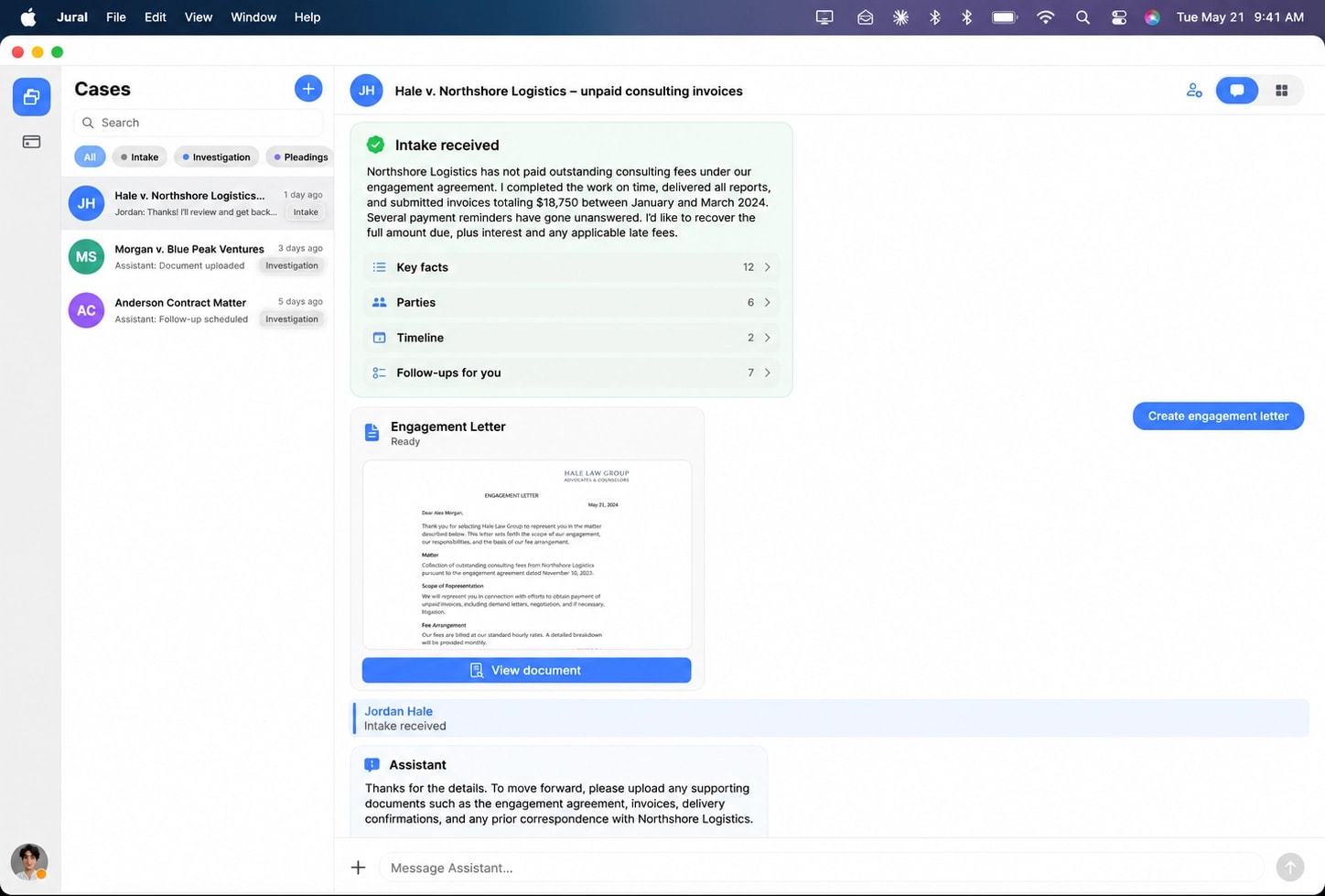
This is the entire interface
In your pocket
The iPhone app
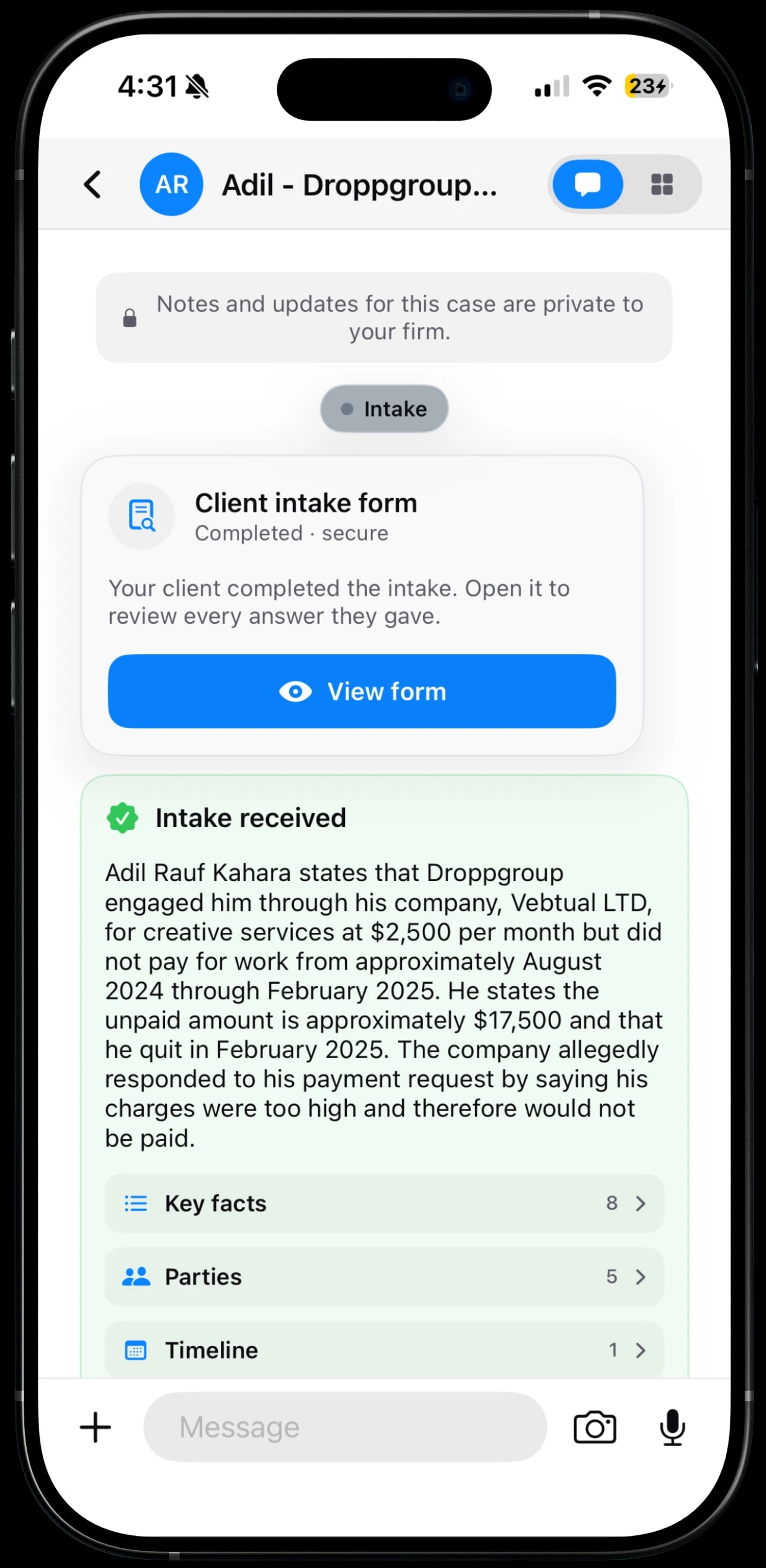
Your whole practice, wherever you are. If you have your phone, you have every matter, and a minute between meetings is enough to move one forward.

One interface, every device
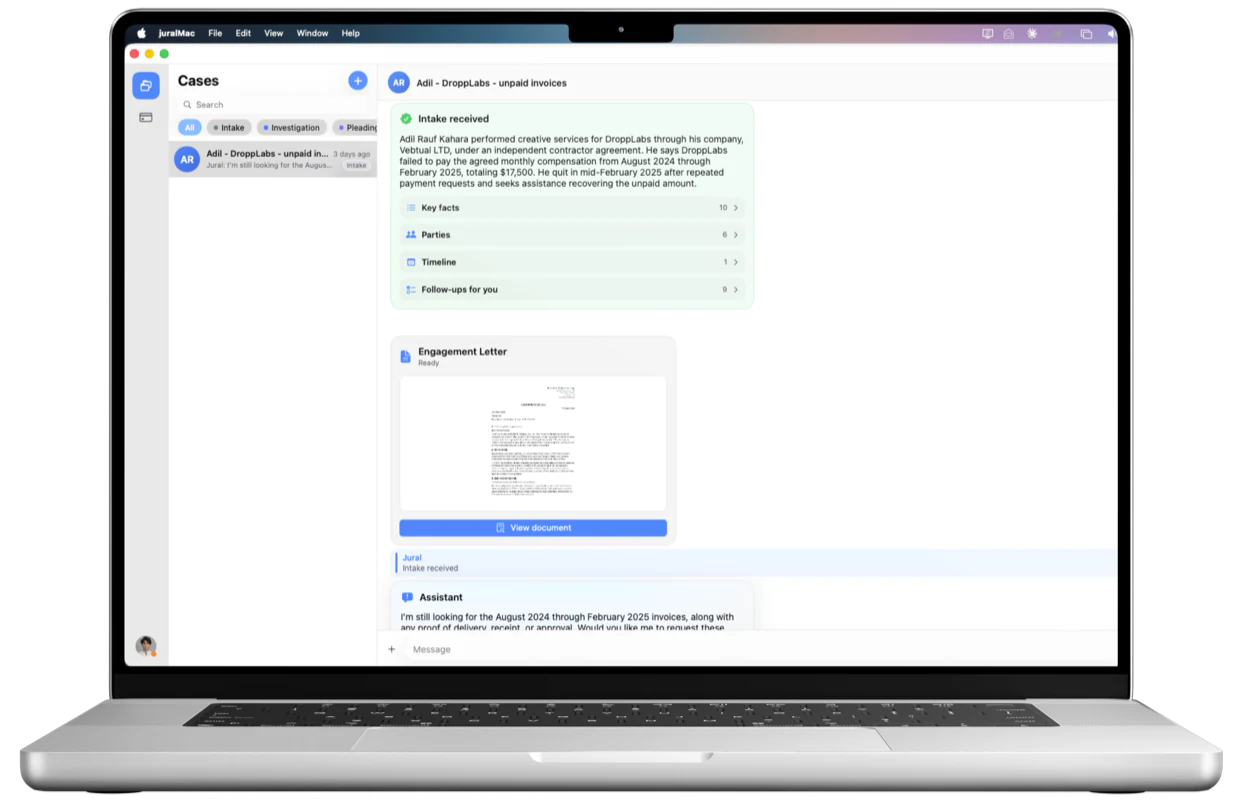
The same conversation on iPhone and Mac
No modules, menus or forms to learn. Every matter is a thread, and the thread is the whole interface. Type or speak, on your phone or your Mac, always in step.
One matter, one day
Follow a single matter from first message to paid invoice. Not a menu of features to learn, a sequence your day already follows.
- 8:55 AMA new client reaches out
Intake without forms
A new client answers a short interview in plain language instead of a form. It asks its own follow-ups and reads what they upload. By the time you open the matter, it is already written up.
New client intake
What happened, in your own words?
Northshore hasn’t paid our consulting invoices since January.
Roughly how much is outstanding, and over what period?
Intake received
12 key facts6 partiesAuto-titled - 10:20 AMBack at the case file
Every case is a thread
Ask what is owed, log time by saying it, set a reminder, attach a file. Each request comes back as a card you approve, in the same conversation.
Hale v. Northshore Logistics
Remind me to chase the demand letter Friday
Reminder
Draft
What
Chase demand letter
When
Fri, 9:00 AM
Scheduled. I’ll check in Friday morning.
- 11:45 AMThe mail brings paper
It reads your documents
Drop in a letter, a contract or an invoice and Jural reads the text on your phone, then tells you what it is, who is in it, the dates and the amounts. Luna works from that text, not the file itself.
Documents
Engagement agreement.pdf
Read
Agreement2 parties$18,750Nov 10, 2023Invoice 1042.pdf
Read
Extracted total
$6,250.00
Due
Jan 31, 2024
Extracted on device
- 2:10 PMTime to put it in writing
Drafting from the file
Ask for an engagement letter and the names, dates and terms come straight from the matter. The AI writes only the wording, so the facts come from the file, not the model.
Engagement letter
Hale Law Group
Dear Alex Morgan,
This letter confirms our engagement in connection with unpaid consulting fees owed by Northshore Logistics.
Filled from the case3 fields
- 3:30 PMOut for signature
Signature, in house
Send it for signature from the thread. The signer verifies by email and passcode, and the signed PDF comes back with a certificate, filed to the matter. No separate e-signature tool.
Signature request
Engagement letter
Sent
Signer
Alex Morgan
Identity
Email + passcode
Consent
ESIGN / UETA
Executed
Certificate
Issued
Seal
SHA-256
Filed back into the case.
- 5:45 PMClosing the day
Invoiced before you leave
Turn the day's unbilled time into an invoice and send it from the thread. The client pays by card and the payment lands against the matter.
Invoice 1043
12.5 hrs at $320
$4,000.00
Filing fees
$410.00
Subtotal
$4,410.00
Total
$4,410.00
Paid
$4,410.00
Card payment received. Filed to the matter.
Six jobs, one case file, no desk required. See the whole day on iPhone
Your firm, in your pocket
Jural is built mobile-first, so your clients, matters, tasks, documents, and day-to-day work are always close at hand. Whether you’re in court, travelling, or meeting a client, your firm moves with you.
Every case is a conversation
Open a matter and simply message it. Ask for case information, add notes, schedule tasks, create documents, or find what you need, all through a familiar chat-style experience designed to feel natural from the first use.
Private by architecture
Device sync and case chat are end-to-end encrypted with the Signal protocol. Everything else is encrypted in transit and at rest, isolated to your firm and hosted on Microsoft Azure in the US. And your work is never used to train AI models.
Your firm’s data. Protected at every layer.
Device sync, case chat and attachments are end-to-end encrypted with the Signal protocol, readable only on your firm’s authorized devices.
Case and client records are kept on Microsoft Azure in the US, encrypted in transit and at rest, isolated to your firm and gated by role.
Privacy isn’t an add-on. It’s part of the architecture.
A matter opens in three steps
- 1Open the case
- 2Send the intake link
- 3It writes itself up
Frequently asked questions
Where does my client data actually live?
On your devices, and on Jural's servers, each protected for the work it does. Your iPhone and Mac stay in step with Signal-protocol end-to-end encryption, so the relay between them carries only ciphertext it cannot read.
Case and client records are also kept in Microsoft Azure in the US, encrypted in transit and at rest, isolated to your firm and gated by role. Those records are not end-to-end encrypted, and we would rather tell you that plainly.
Can Jural read my clients' documents?
Documents are read on your device. Text layers and OCR are extracted locally, and the search index is built and kept there too. Documents you store in a case are held on Jural's servers, encrypted and isolated to your firm, and no support tool gives our staff access to them.
When you ask Luna, Jural's assistant, to summarise or draft, the extracted text and case context go to OpenAI in the cloud, not the raw file. Requests are sent with storage turned off, and never used to train models.
Can my paralegal work in the same case?
Yes. Everyone in your firm works from the same cases, with roles that decide who can edit and who can only view. Case chat is end-to-end encrypted with the Signal protocol, and the relay forwards ciphertext it cannot read.
How does billing work?
Time is captured as you go, in the thread. When you are ready, turn the unbilled time into an invoice and send it from the matter. The client pays by card, and the payment is recorded against the matter.
Jural itself is a flat subscription for the firm.
Do I have to migrate off what I use now?
No. There is no implementation project and no administrator to appoint. You open a matter and the file fills as you work, so you can run Jural beside your current system and decide later how much of the work moves across.
Does Jural give legal advice?
No. It finds what is in your files, drafts from them, and proposes the next step. Every draft is yours to review and settle: emails, documents and signature requests go out only when you send them.

Try it on your next matter
Fourteen days on your own cases. No setup project, no migration. Open a matter, message it, and watch the admin stop being your job.
Get 14 Days Demo